 Measura: Sell by Weight & More
Catch weight in Shopify with Measura: edit orders to the actual weight
Measura supports catch-weight selling in Shopify with the Order edit add-on. Update measured orders to the actual weight and recalculate their prices.
Measura supports catch weight in Shopify through its optional Order edit add-on. When the actual weight of a measured item differs from the amount on an existing order, you can open the Measura order editor, enter the final measurement, and save the corrected order. Measura recalculates measured-item pricing and handles the corresponding inventory adjustments for the configured workflow.
You can use this for products such as meat, fish, cheese, or produce, where the portion you prepare does not always weigh exactly the requested amount. Catch-weight order editing is available alongside Measura’s Shopify POS and online measurement selling.
What does catch weight mean?
Catch weight is the actual measured weight of an individual portion or item. In a catch-weight selling workflow, a customer may order an approximate amount, then the merchant weighs the portion being supplied and updates the order to match it.
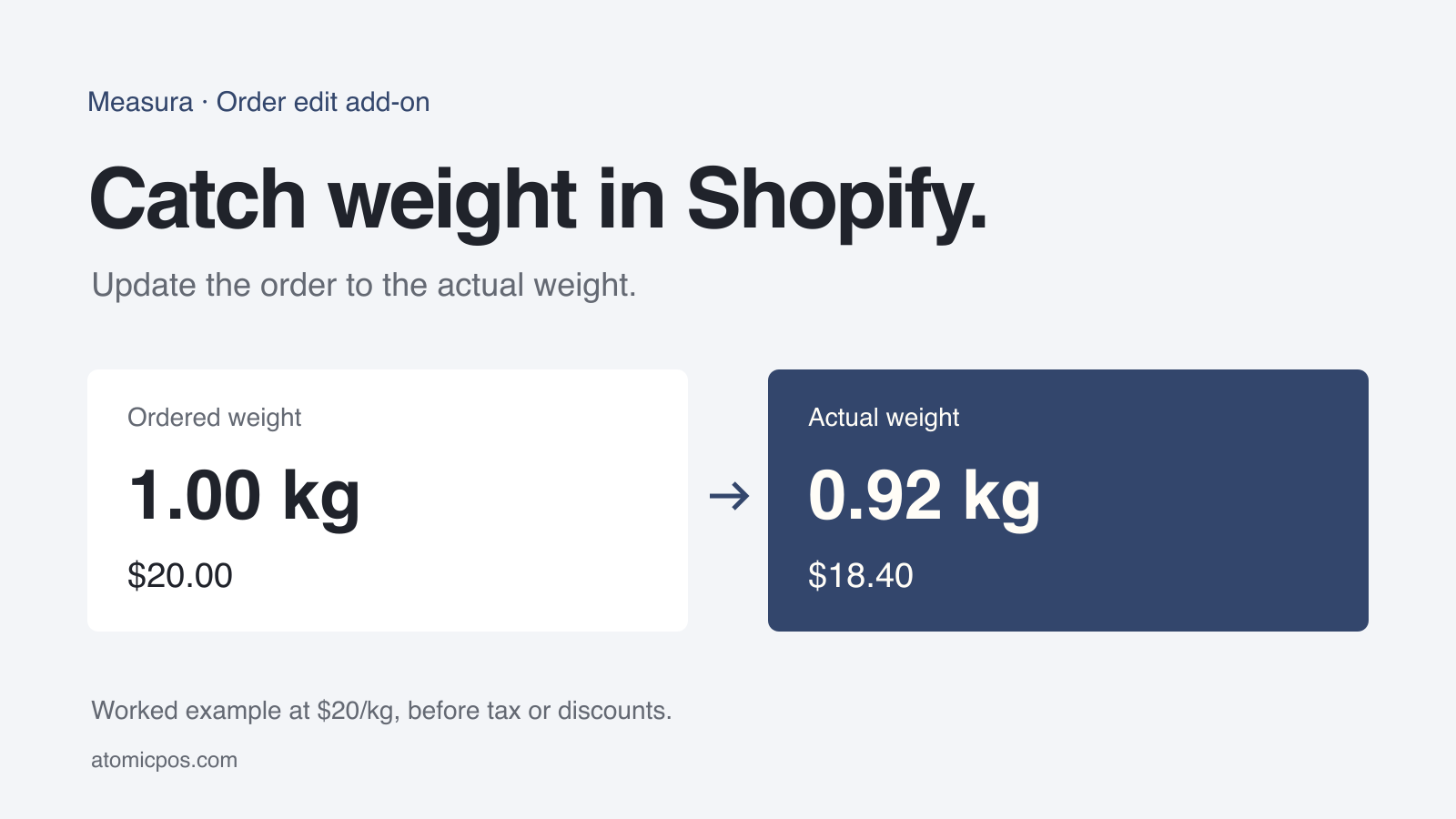
For example, a customer orders about 1 kg of cheese at $20/kg. The piece you prepare weighs 0.92 kg. The measured item should be priced at $18.40, rather than the $20.00 estimate.
These are worked examples in the store’s currency, before taxes, discounts, delivery charges, or other order adjustments. They are not a merchant result or a promise about payment collection.
How catch-weight order editing works in Measura
The workflow has two parts: sell a Measura measured product, then correct the existing order when you know the actual amount being supplied. You do not need to create a new customer order simply to enter the final weight.
1. Set up the measured product
Configure the product’s measurement type, selling unit, and unit price in Measura. For the cheese example, the base measurement is 1 kg and the price for that amount is $20.
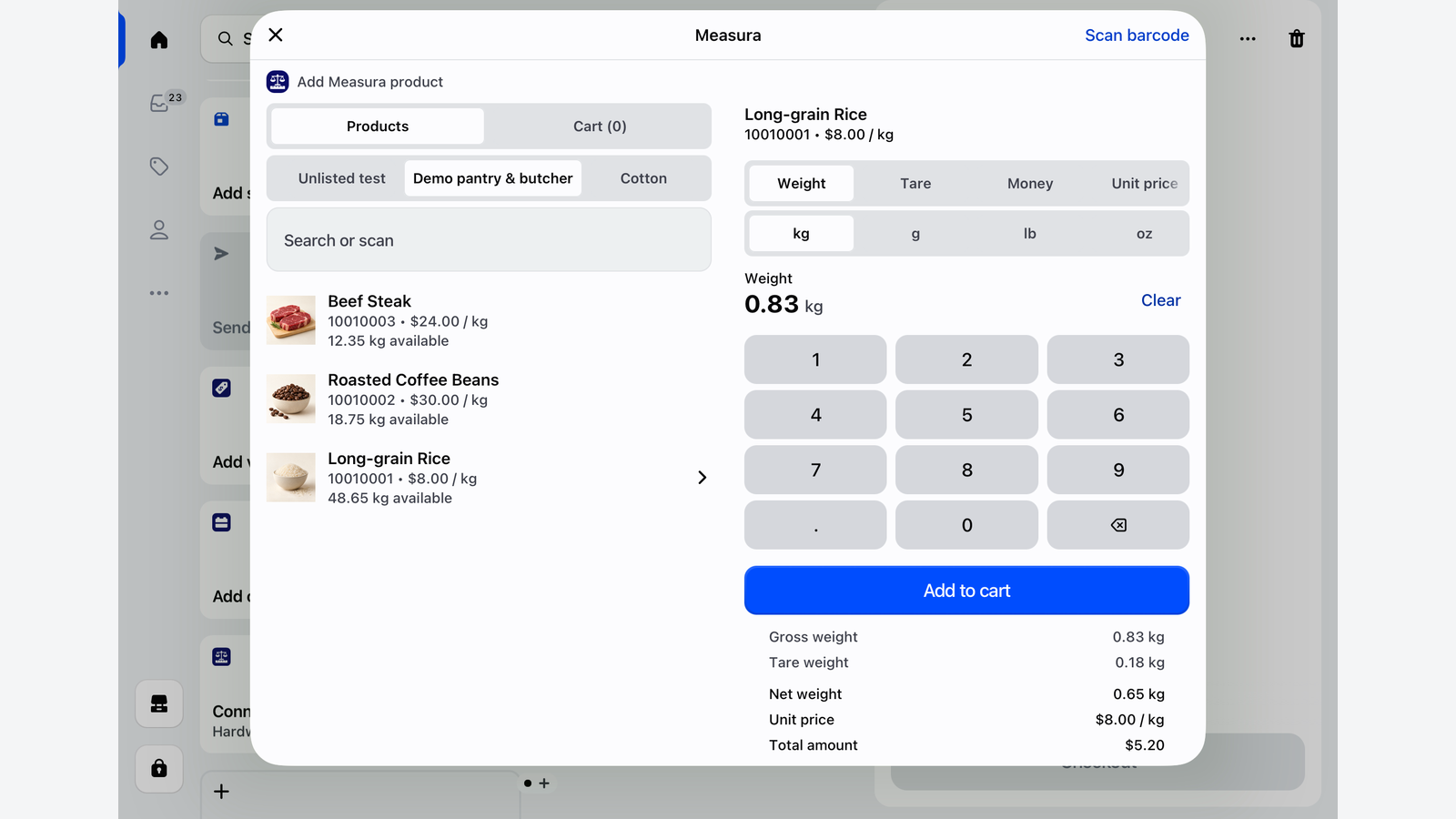
For a counter sale where the weight is known immediately, staff can enter it before adding the product to the POS cart. The sell-by-weight POS guide explains that workflow. Order editing is useful when the final measurement is confirmed or corrected after the order has been created.
2. Activate the Order edit add-on
Enable the optional Order edit add-on in Measura. It is billed separately from the main Measura plan, with tiers based on monthly editing usage. Review the Order edit add-on page for current features, limits, and pricing.
Use Measura’s in-app setup to grant the order permissions required for your workflow. The merchant-facing order editor does not require you to build a Public API integration.
3. Open the existing order in Measura
Open the order through Measura’s Orders workspace, or use the Measura Edit order action on the Shopify Admin order details page.
Select the relevant Measura measured item. Confirm its product, selling unit, quantity, and existing measurement before changing anything. This workflow is for Measura measured items; it does not turn every ordinary Shopify line item into a catch-weight product.
4. Enter the actual weight and review the total
For our example, replace 1.00 kg with 0.92 kg while keeping the line quantity at one. At the existing $20/kg unit price:
0.92 kg × $20/kg = $18.40
Review the editor’s updated item totals before saving. If the line contains multiple units, check both quantity and the measurement for each unit; the example above uses a single unit. If you choose to apply a different unit price, review that separately from the weight correction.
5. Save and check the updated order
Save the change, then check the resulting measurement, price, order balance, and inventory result. The corresponding stock adjustment depends on the product’s inventory settings and location. Test with a representative order before adopting the workflow across your store.
Can Measura adjust fulfilled orders?
Yes, eligible fulfilled Measura items can also be adjusted through the Order edit add-on. The editor asks you to confirm this operation because Shopify handles it differently from editing an unfulfilled line.
For fulfilled items, Measura records returns for the affected items and creates replacement items with the corrected quantity and measurement. This happens within the existing customer order. Review the confirmation and the resulting order records rather than expecting the original fulfilled line to be overwritten in place.
Measura supports measured-order editing in Shopify Admin and Shopify POS. Use the available Measura order actions and follow any setup or permission guidance shown in the app.
What happens to payment after the weight changes?
Updating an order’s measured amount and total is separate from moving money. A lower final amount can leave a refund owed; a higher amount can leave an outstanding balance.
Saving a Measura weight correction does not automatically issue a refund or guarantee an additional charge. Review the updated balance in Shopify and complete any required collection or refund using the appropriate Shopify payment workflow for the order.
In the cheese example, the item amount decreases by $1.60 before other adjustments. Whether money must be refunded depends on what the customer has already paid and the final order balance. Make your store’s process for estimated weights and final pricing clear to customers.
Common catch-weight questions
Is Measura only for choosing a weight before checkout?
No. Measura supports measurement entry during selling and editing measured items on existing orders through the optional Order edit add-on. These are different stages of the same measured-selling workflow.
Can the actual weight be higher than the ordered amount?
The order editor supports changing a measured item to a different final amount, including increases. Review the recalculated price, inventory availability, and any outstanding balance before completing the adjustment. Eligibility and validation still apply to the order and item.
Is catch-weight editing included in every Measura subscription?
It requires the Order edit add-on, activated separately from your main subscription. Check its current offer and usage limits inside Measura or on the add-on page.
Can I use this for measurements other than weight?
The order editor works with Measura measured items. For example, a fabric merchant can correct the supplied length. The eligible units and fields depend on how the product is configured.
Set up your catch-weight workflow
Start with one measured product and a representative order. Check final-weight entry, the saved order total, stock behavior, and any payment follow-up your team needs to complete.
Explore the Order edit add-on, see Measura’s features, or contact Atomic POS support with the workflow you want to configure.
For a detailed explanation of decimal stock, base measurements, and locations, read how fractional inventory works in Shopify with Measura.