 Measura: Sell by Weight & More
How to build fabric and sewing kits in Shopify with Measura
Build fabric kits with Measura’s Kit Builder add-on. Combine fractional metres of fabric with whole components and track stock when you assemble finished kits.
Updated
Measura’s optional Kit Builder add-on lets fabric merchants create kit recipes with measured components and assemble them into finished Shopify product stock. A sewing kit can combine 1.5 metres of fabric, 0.5 metres of lining, and one zipper. Assembly deducts the configured components and adds stock to the kit’s linked product variant at the selected location, where inventory is tracked.
That gives you a way to account for fabric taken from a bolt when you prepare kits for sale. The remaining fabric and the ready-made kits have separate inventory balances.
This guide follows a batch of ten sewing kits assembled in the Atomic POS development store. The recorded demo uses 1.5 m of cotton, 0.5 m of lining, and one zipper per kit; it demonstrates software inventory movements, rather than a merchant’s physical production run. The workflow described is staff preparing kits from a saved recipe; a customer-facing mix-and-match selector would need its own storefront setup.
Plan the recipe for one finished kit
For this example, one sewing kit contains:
- Outer fabric: 1.5 m from the selected fabric variant.
- Lining: 0.5 m from the selected lining variant.
- Zipper: one unit of the selected zipper variant.
Choose the actual variants your staff will cut and pack. A blue fabric and a green fabric are different stock sources, even if their required lengths are the same.
Configure the fabric and lining as measured products in Measura with the correct length units and base measurements. The zipper is a whole-item component. In this example, both measured products use a base measurement of 1 m. If your store uses yards or a different base amount, check those settings before entering the recipe.
Review the Kit Builder add-on for current subscription requirements and kit limits. It is optional and billed separately from the main Measura subscription. Also review your Measura plan’s inventory features and configure inventory tracking for the components and finished-kit variant you want to count.
Create and save the kit recipe
Open Kit Builder in Measura and create a kit. Give it a name your team can recognize, such as “Sage Fabric Sewing Kit,” then connect it to the Shopify product variant that represents the finished kit.
The kit editor supports linking an existing variant or creating a new draft product. If you create a draft, review its product details, price, and sales-channel availability before making it available to customers.
Add the fabric, lining, and zipper components. For a one-kit recipe, enter quantity one for each component row, with 1.5 m as the fabric measurement and 0.5 m as the lining measurement. The zipper uses quantity one without a measurement. Check both quantity and measurement: entering several units of a measured component changes the amount required.
If you use the editor’s batch-size option, pay attention to its total and per-kit labels. The amounts above describe one finished kit. Review the per-kit values before saving so a ten-kit cutting total does not accidentally become the requirement for every individual kit.
Saving the recipe does not assemble kits or deduct component stock. It records what the kit contains. The inventory movement happens when you run assembly.
Assemble a batch of 10 kits
Once the recipe is correct and the materials are ready, open Assemble kits in Measura. Select the stock location, add the kit, and enter 10 as the number to assemble.
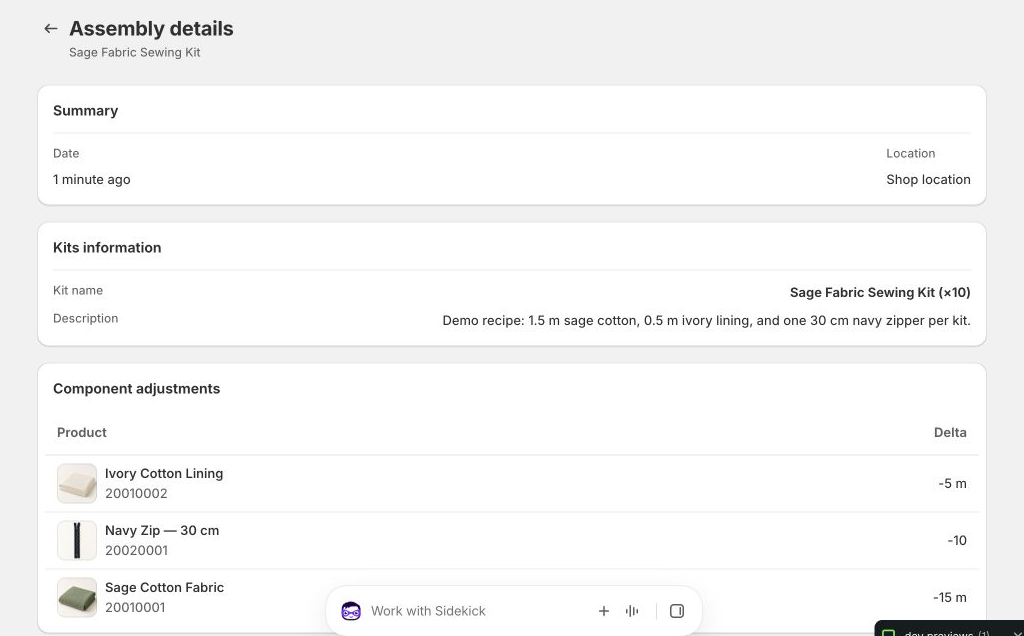
Review the component requirements and inventory changes before confirming. For our recipe, a batch of ten requires:
- 15 m of outer fabric: 10 × 1.5 m.
- 5 m of lining: 10 × 0.5 m.
- 10 zippers: 10 × 1.
The assembly adds 10 finished kits to the linked kit variant’s tracked stock at that location.
Keep the recorded assembly aligned with the kits you actually prepare. A saved recipe describes the intended contents; your staff still need to cut the material, pack the components, and check the finished kits.
Check the component and finished-kit balances
The demo location started with 40.5 m of outer fabric, 12.25 m of lining, 25 zippers, and zero finished kits. After the recorded ten-kit assembly, the verified balances were:
- Outer fabric: 40.5 m − 15 m = 25.5 m.
- Lining: 12.25 m − 5 m = 7.25 m.
- Zippers: 25 − 10 = 15.
- Finished kits: 0 + 10 = 10.
The component stock now represents the material left outside those assembled kits. Selling one of these finished kits uses its finished-product stock. Do not manually deduct the same fabric again just because that kit sells: in this assembly workflow, the fabric was already consumed when the kit was made.
Check the assembly result and production history, then verify the balances at the location you selected. Tracked variants must be stocked at that location. Untracked components do not receive stock deductions or constrain production capacity in the same way, so enable tracking where those balances matter.
If Measura reports insufficient inventory, check the physical materials, selected location, recipe, and inventory records before continuing. A recipe is not a stock reservation, and other sales or assemblies may use the same materials.
The fractional inventory guide explains how measured stock relates to Shopify’s whole-number inventory and why base measurements matter.
Keep cutting allowances and leftovers in the stock process
The recipe should reflect the material you intend to consume per kit. If your cutting process needs an allowance, account for it deliberately rather than assuming Measura can infer offcuts or waste from the finished product.
For example, two metres remaining in an inventory balance does not tell staff whether that material is one continuous piece or several shorter remnants. Check the physical lengths needed for your kits alongside the recorded total.
Kit Builder also supports disassembly to reduce kit stock and restore components. Use it only when those materials are actually returning to available stock, and review the quantities and location. Restoring a fabric quantity in software does not turn cut pieces back into an uncut bolt.
Sell the finished kit and fabric by the metre
Once the finished kit’s Shopify product is configured and available on the intended sales channels, customers can buy it as a kit. You can also continue selling the remaining measured fabric through your configured Measura workflow.
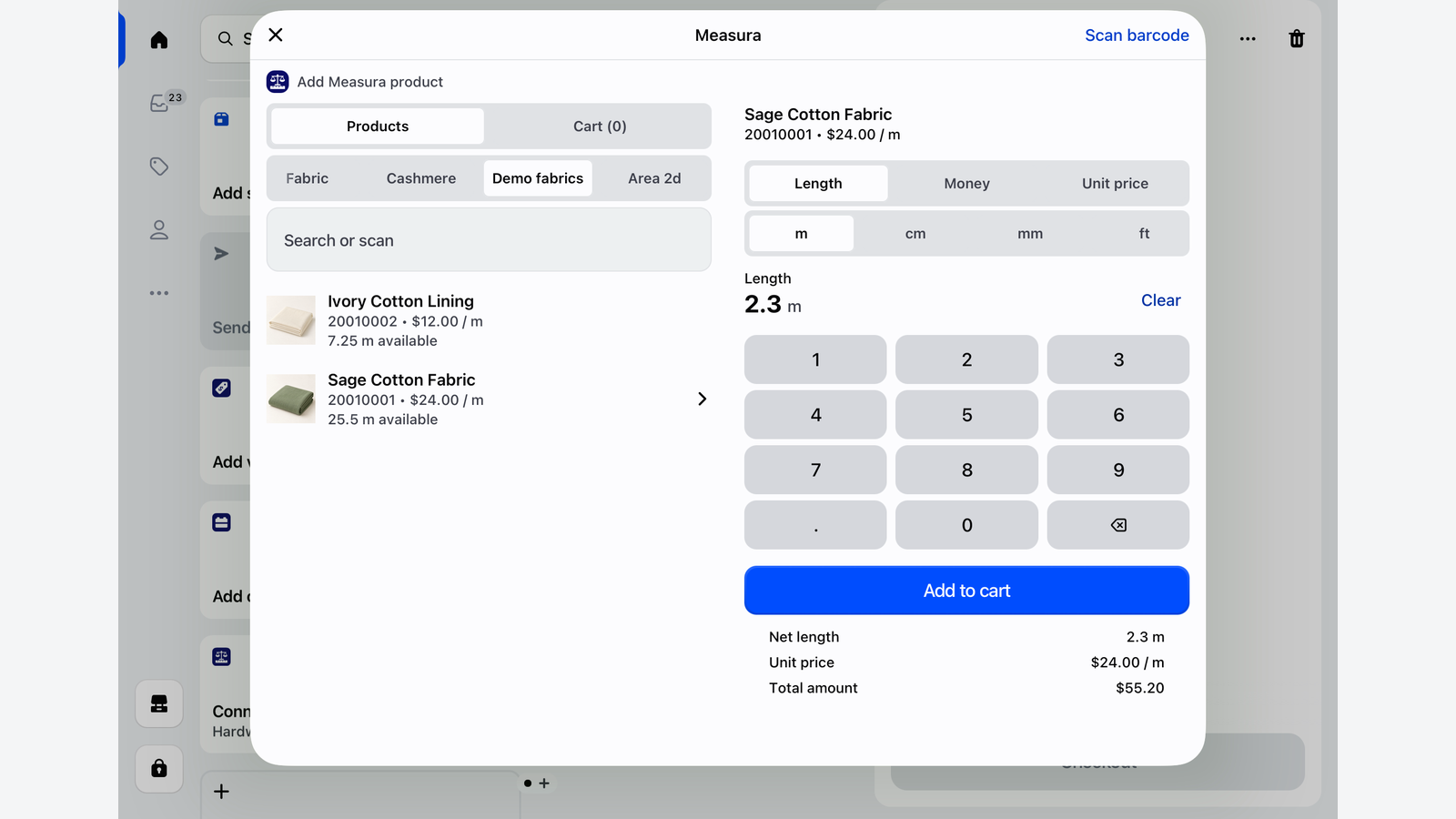
For counter sales of individual fabric lengths, follow our guide to selling fabric by the metre or yard in Shopify POS for product setup, fractional cut lengths, cart corrections, and stock checks. Kit assembly is a separate stock operation from entering a customer’s cut length at checkout.
Before offering a new kit, run a small assembly and check the recipe, component deductions, finished stock, product price, and sales-channel availability. If you also use another bundle or inventory app, check that the combined setup does not deduct the same components a second time.
Explore Measura’s Kit Builder add-on, review Measura’s features, or contact Atomic POS support with the fabric units, kit recipe, and stock workflow you want to use.